PC Controls for Steel Crossfire
Official Bot, Vehicle, and Jet bindings plus habits that win Domination.
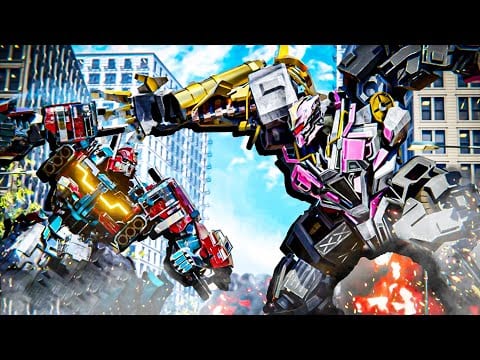
Steel Crossfire on PC uses keyboard and mouse for all three transform modes in Marmot’s Oven’s Roblox PvP. The official control sheet splits bindings by shape: Bot for grounded gunplay and melee, Vehicle for boost and drift mobility, Jet for altitude and aerial strikers. Mastering PC inputs is the fastest route to parrying melee bots like Beater lines and hitting Domination rotations before Reaver jet campers reset your team.
Bot mode controls (ground combat)
Bot form is default for most firefights, cap stands, and cover peeking. These bindings come from the official Steel Crossfire description:
| Action | Key |
|---|---|
| Move | W A S D |
| Transform | T |
| Melee | E |
| Parry | Q |
| Run | Shift (hold) |
| Dash | Ctrl |
| Jump | Space |
| Fire | Left Mouse Button |
| Aim | Right Mouse Button (hold) |
| Reload | R |
| Switch weapons | F |
Bot mode rewards rhythm: RMB aim for mid-range picks, E melee for finishers, Q parry to negate aggressive Pointrunner or Revv players who dash into your face. Ctrl dash is your panic button—use it to break line-of-sight, not to travel across open Domination lanes where jets punish predictable paths.
F weapon swaps matter when one gun hard-counters shield-heavy Centurion or Bastion profiles. Reload behind cover with R before transforming; Vehicle form does not fix an empty magazine if the game carries ammo rules into your next shape.
Vehicle mode controls
Press T from Bot when you need map speed, flank routes, or drift angles onto a cap point:
| Action | Key |
|---|---|
| Drive | W A S D |
| Boost | Shift (hold) |
| Drift | Space (hold) |
| Striker | Right Mouse Button (hold) |
| Fire | Left Mouse Button (hold) |
Vehicle mode removes Bot melee and parry in favor of momentum. Shift boost on straightaways, then Space drift hold to snap around Domination corners without overshooting. Striker (RMB hold) is your burst tool—track targets before they transform to Jet and verticalize.
Do not boost through narrow chokepoints without exit plan; good jet players sit above chokes waiting for Vehicle commit. Read transform modes for route selection before you bind muscle memory to boost-only habits.
Jet mode controls
Another T press from Vehicle (or eligible Bot states per match rules) sends you airborne:
| Action | Key |
|---|---|
| Move | W A S D |
| Boost | Shift (hold) |
| Ascend | Space |
| Descend | Ctrl |
| Striker | Right Mouse Button (hold) |
| Fire | Left Mouse Button (hold) |
Jet form wins vertical Domination sightlines and breaks stalemates on multi-level maps. Space and Ctrl are altitude, not optional flair—stalling mid-air makes you a free target for ground RMB aim. Boost (Shift) closes gaps for striker passes, then descend (Ctrl) to drop onto caps in Bot form after a final T transform.
Jets lose value if you hover forever. Touch the objective, deal damage, transform out before fuel or HP tax catches you—exact resource names vary by chassis, but the habit is universal.
Transform chain on PC
T is the only transform key across modes on PC. Practice this loop in Team Deathmatch before ranked Domination:
- Bot approach on foot with Shift run.
- T to Vehicle for rotation.
- Shift boost + Space drift into zone.
- T to Bot to cap or melee contest.
- T to Jet if enemies stack height.
- Ctrl descend, T to Bot to stabilize the point.
Chain transforms on cooldown discipline, not panic. Panic T into Vehicle inside a cramped room gets you stuck on geometry; panic Jet indoors wastes altitude tools.
Mouse sensitivity and aim
Steel Crossfire uses RMB hold to aim in Bot form and striker holds in Vehicle/Jet. Lower sensitivity helps parry practice (Q is timing, not aim, but aim still wins mid-range). Many players use one DPI for Bot LMB tracking and slightly higher for Jet pass shots—test in Team Deathmatch, not in Domination streak queues.
PC settings and Roblox client
Roblox PC client settings affect mouse lock and shift-lock behavior. Enable shift-lock if you prefer camera-stable strafing during Q parry drills. Steel Crossfire may expose additional remaps in-experience settings—check after latest updates for rebinding transforms off T only if the game officially supports it; default T matches most community guides and mobile muscle translation if you dual-platform.
Domination-specific PC habits
Domination needs mode coverage, not pure K/D. Assign mental hotkeys:
- Defending cap: Bot + Q parry facing choke, Ctrl dash off point when strikers charge.
- Rotating: Vehicle Shift boost paths learned from Domination tips.
- Breaking jet camp: Jet Space/Ctrl with RMB striker, then T down to Bot for plant.
Communicate transforms verbally with squadmates—PC players often rotate first because inputs are faster once drilled.
New player progression
Start with forgiving bots from best starters while learning this sheet. Redeem active codes for Shards, but spend on chassis you can aim—Super Centurion does not forgive missed Ctrl dashes.
Pair mechanical practice with Getting Started and how to play so you know when to stop dueling in Bot and rotate in Vehicle.
Related control pages
- Transform modes — when to press T, not just what each key does
- Mobile controls — compare if you switch devices
- Controls hub — overview and practice checklist
- How to redeem codes — PC copy-paste for promos before grind sessions
Frequently Asked Questions
Quick answers to the most common Steel Crossfire questions.
What is the transform key in Steel Crossfire on PC?
**T** transforms between Bot, Vehicle, and Jet. It is the same key in every mode on PC.
How do I parry on PC?
In Bot form, press **Q** to parry melee. Time it against **E** melee rushes from aggressive bots like Revv or Pointrunner players.
How does Vehicle drift work on PC?
Hold **Space** while driving to drift. Combine with **Shift** boost on straights for fast Domination rotations.
How do I ascend and descend in Jet form?
Hold **Space** to ascend and **Ctrl** to descend. Use **Shift** boost for horizontal passes and **RMB** hold for striker attacks.
Can I reload while transformed?
Bot form uses **R** to reload. Transform before entering fights with a full magazine when possible; Vehicle and Jet rely on held **LMB** fire and strikers.
Where do mobile bindings differ?
Mobile uses on-screen buttons instead of keys. See [mobile controls](/controls/mobile/) if you play both platforms.