Bot, Vehicle & Jet in Steel Crossfire
When to transform, how each mode wins caps, and inputs on PC or mobile.
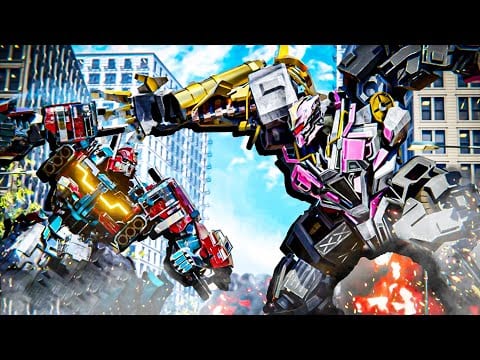
Transforming is Steel Crossfire’s core mechanic on Roblox. Marmot’s Oven built a three-shape loop—Bot, Vehicle, and Jet—that shares one transform action (T on PC, the Transform button on mobile) but completely changes how you move, deal damage, and take Domination points. Valorians and Reavers use the same modes; chassis like Pointrunner, Revv, Bastion, Centurion, Hardline, Beater, Grand Beater, and Super Centurion differ in stats, not in the mode skeleton. This guide explains when each shape wins fights and how inputs shift between them.
The three-mode loop
Think of modes as tools, not tiers:
- Bot — precision ground combat, melee, parry, weapon swaps.
- Vehicle — map speed, boost, drift, striker bursts while grounded.
- Jet — vertical control, aerial strikers, breaking height advantage.
You are always one transform away from the wrong tool for the job. Cap points need Bot presence. Cross-map rotations need Vehicle. Clearing rooftop jets needs Jet—or a coordinated striker from below.
Press T (PC) or Transform (mobile) to cycle according to match rules. Cooldown discipline separates Domination winners from Team Deathmatch stat padders who never touch objectives.
Bot mode: anchor fights and cap points
Bot is the default fighting shape. Official PC bindings: WASD move, E melee, Q parry, Shift run, Ctrl dash, Space jump, LMB fire, RMB aim, R reload, F switch weapons, T transform out.
When to stay in Bot
- Standing on or contesting a Domination point.
- Peeking cover in Team Deathmatch for aim duels.
- Parrying melee rushers (common with aggressive Pointrunner or Revv players).
- Swapping weapons (F) to answer shields or mid-range holds.
Bot weaknesses
Slow rotation across large maps, vulnerable to jet vertical strikes if you stand in open asphalt, and punished if you forget Ctrl dash when strikers charge. Bot is not “easy mode”—it is the mode where mechanical skill from PC controls or mobile controls matters most.
Vehicle mode: rotation and flanks
Transform to Vehicle when distance matters more than melee trades. PC bindings: WASD drive, Shift boost, Space drift (hold), RMB striker (hold), LMB fire (hold).
When to choose Vehicle
- Rotating from zone A to C after a cap swap.
- Flanking snipers or Bastion anchors who tunnel one lane.
- Chasing low-health jets that descended to reload—catch them in Vehicle boost before they T back up.
- Drifting into points quickly, then transforming to Bot for the plant.
Vehicle weaknesses
Wide hitboxes, weaker in tight indoor geometry, and predictable boost lines. Do not Vehicle into three enemies on a point—transform early to Bot or bail with another T to Jet if the map allows vertical escape.
Drift (Space hold on PC) separates good drivers from boost-only players. Practice drift corners in Team Deathmatch before Domination tips routes.
Jet mode: height and striker passes
Jet adds altitude: WASD move, Shift boost, Space ascend, Ctrl descend, RMB striker hold, LMB fire hold.
When to choose Jet
- Enemies hold height above a cap—contest with strikers, then descend.
- Breaking stalemates when both teams stack Bot on one choke.
- Crossing vertical map shortcuts unavailable to Vehicle drift.
- Harassing shield lines before dropping to Bot for melee finishers.
Jet weaknesses
Fuel/HP tax varies by chassis, but the universal weakness is hovering. Jets that never touch objectives lose Domination. Descend, cap in Bot, or at least spot for teammates holding ground.
Grand Beater or Super Centurion players in tier videos look unstoppable in Jet because they transform on purpose—not because Jet is always best.
Mode selection by game mode
Team Deathmatch
DM rewards kill tempo. Bot dominates small skirmishes; Vehicle chases fleeing low targets; Jet cleans rooftop campers. Transform for kills, not sightseeing. If your squad ignores objectives entirely, still use Bot for most duels—Vehicle and Jet overuse feeds enemy streaks.
Domination
Objectives rewrite priorities:
- Vehicle to next zone when your home cap is secure.
- Bot to channel and cap.
- Jet to break enemy stacks on contested high ground.
- Bot again to stabilize after jet pass.
Pair with how to play macro and shard earnings from how to get Shards—winning rounds funds better chassis once codes run dry.
Sample transform chains
Cap rescue: Bot hold → T Jet → striker on rooftop → Ctrl descend → T Bot → parry (Q) melee contest → cap.
Fast rotate: Bot spawn → T Vehicle → Shift boost → Space drift corner → T Bot → plant as enemies arrive late.
Escape burst: Bot losing fight → Ctrl dash → T Vehicle boost out → T Jet over wall → T Bot behind cover to reload (R).
Drill chains until T needs no glance at keyboard or HUD. SEASON1 XP boosters from codes reward sessions where chains succeed repeatedly.
Character and faction notes
Community tier talk mentions Pointrunner agility, Revv rushdown, Bastion and Centurion bulk, Hardline poke, Beater melee, Grand Beater and Super Centurion late-game power. Stats tweak speed and damage, but mode timing is shared. A fast Pointrunner still loses caps if it stays Jet while the point sits empty.
Valorians and Reavers share transforms—pick faction for fantasy, not for secret mode unlocks.
PC and mobile input reminder
All mode specifics live in dedicated pages:
- PC controls — full key table
- Mobile controls — HUD customization
- Controls hub — practice checklist
Mobile players must enlarge Transform during settings customization or chains fail under pressure.
Common mistakes
- Transforming in panic inside small rooms (Vehicle stuck, Jet clipped).
- Jet camping without cap pressure (free Shards for enemies).
- Bot dueling mid-rotate while points flip unattended.
- Ignoring Q parry because Vehicle/Jet lack it—switch back to Bot before melee contests.
- Buying advanced bots before learning transforms—see best starters first.
Related guides
- Getting Started — factions, modes, first match flow
- Domination tips — routes that assume transform literacy
- Season 1 Battle Pass — XP boosters love objective-heavy transform play
- Latest updates — patch changes to cooldowns or striker damage
Frequently Asked Questions
Quick answers to the most common Steel Crossfire questions.
How do you transform in Steel Crossfire?
Press **T** on PC or the Transform button on mobile to cycle Bot, Vehicle, and Jet. See [PC controls](/controls/pc/) or [mobile controls](/controls/mobile/) for full bindings.
Which Steel Crossfire mode is best for Domination?
Use all three: Vehicle rotates, Bot caps, Jet breaks height. No single mode wins every point—timing matters more than favorite shape.
Can you melee in Vehicle or Jet?
Bot form handles **E** melee and **Q** parry. Vehicle and Jet focus on boost, drift or altitude, and striker holds.
When should beginners transform?
Transform for rotation and escape first, not every duel. Stay Bot until you need speed (Vehicle) or height (Jet), then return to Bot on objectives.
Do all characters share the same three modes?
Yes. Pointrunner, Bastion, Beater, and other chassis differ in stats, but every bot uses Bot, Vehicle, and Jet transforms.
Where do I learn inputs for each mode?
Official bindings are listed in [PC controls](/controls/pc/) and touch equivalents in [mobile controls](/controls/mobile/).